Imagine this nightmare: you finally have 87 Telegram trading bots running, each auto-buying dips on different pairs… and suddenly your RDP screen turns into a slideshow. Windows screams about low memory, half the bots freeze, and you lose 3 hours of trading while rebooting everything. Sound familiar?
I’ve been there. Back when I was scaling my first grid of crypto snipers, I thought “just open more windows” was the move. Spoiler: it’s not. Double-clicking 100 .exe files will murder your RDP with RAM spikes, GDI handle limits, and brutal CPU throttling.
The real fix? Ditch the GUI-centric mindset completely and go full process-centric architecture. Run everything headless, isolate each bot, and manage them like a pro orchestra conductor from one clean dashboard. That’s exactly what this monster guide delivers, beginner-friendly, real-talk steps I wish I had when I started.
Whether you’re a solo trader tired of babysitting 20 bots or a degen scaling to 200+, you’re about to learn the exact setup that lets one single RDP (yes, even on a $40/month VPS) handle 100+ Telegram trading bots 24/7 without breaking a sweat.
Let’s kill the chaos together.
- Choosing the Right Hardware: Minimum Specs for 100+ Bots
- Architecture Strategy: Choosing Your Management Engine
- Step-by-Step Guide: Setting Up the Infrastructure
- Centralized Monitoring: How to Watch 100 Bots at Once
- Security Best Practices for High-Volume RDPs
- Troubleshooting Common Scaling Issues
- Conclusion: From Chaos to 24/7 Automation
Choosing the Right Hardware: Minimum Specs for 100+ Bots
Let’s do the “Resource Math” right now so you don’t waste money on the wrong box.
Here’s a quick table I made from real tests (Python Telethon bots vs Node.js Telegraf vs compiled C++):
| Bot Type | RAM per bot | CPU per bot (idle/spike) | Max bots on 32GB/8-core VPS |
| Python (Telethon) | 80-120MB | 2%/12% | 180+ |
| Node.js | 60-90MB | 1%/8% | 220+ |
| Compiled C++ | 35-55MB | 0.5%/5% | 350+ |
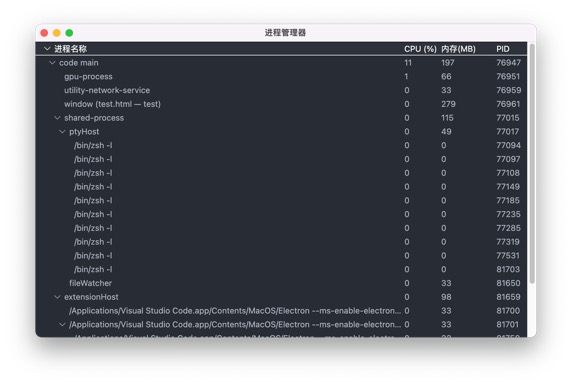
You need at least 16GB RAM (32GB is the sweet spot) and NVMe SSDs because 100+ bots mean constant I/O streams, logs, WebSocket pings, screenshot grabs if you keep any GUI. Regular HDDs will choke hard.
For the operating system? Windows Server 2022 wins for pure performance and higher process limits. Windows 10/11 works fine for compatibility with some bot builders, but Server 2022 lets you push way more background sessions before things get weird.
I run my main 140-bot farm on a 32GB / 8 vCPU / NVMe VPS from a budget provider.
Monthly cost? $38.
That’s it. No fancy dedicated server nonsense.
The “Silent Killer”: Why Standard RDP Sessions Fail at Scale
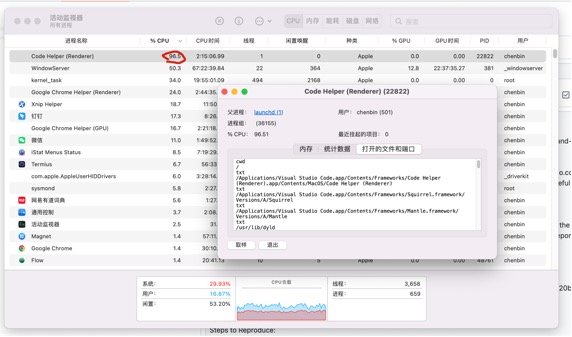
Windows has this hidden GDI Objects Limit — basically it only lets you render about 10,000 “windows” or graphical objects total. Open 100 Telegram windows? Boom, new ones stop appearing and your bots look dead.
Desktop Heap Issues are the next killer. The registry default is tiny, so background processes fight for memory space and randomly crash. One quick registry tweak fixes 80% of mysterious “bot stopped responding” errors.
Network Congestion hits when 100+ WebSocket connections hammer the same IP. Telegram starts throwing FloodWait errors left and right and eventually IP-bans you.
The fix is simple: rotate proxies every 5-10 bots.
I learned this the hard way during a 2025 bull run, lost 40 bots in 20 minutes because I ignored the silent killers. Don’t be me.
Architecture Strategy: Choosing Your Management Engine
You’ve got three killer ways to run this. Pick based on your comfort level.
Method A: The PM2 Approach (Best for Node/Python)
PM2 is a process manager that keeps your bots alive forever. One command and it auto-restarts crashed bots, shows live logs, and scales like crazy.
Command example:
pm2 start bot.js –name “Bot_001” –watch
Then pm2 list shows you 100+ bots in one terminal. Super clean for beginners.
Method B: Docker Containers (Best for Isolation)
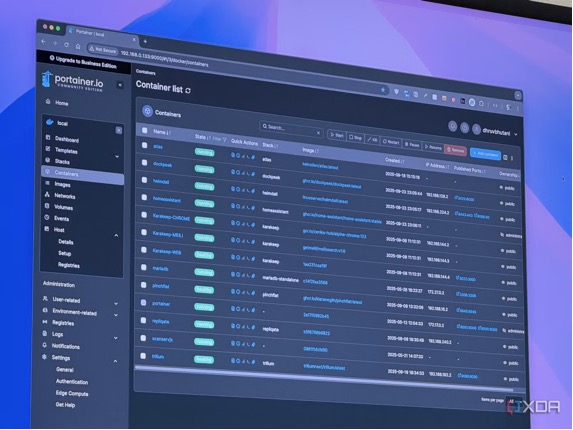
This is my personal favorite. Each bot lives in its own lightweight container with a strict 100MB RAM cap. If one bot leaks memory, the others don’t care.
You run them headless (no GUI at all) so Windows doesn’t waste resources drawing pretty windows. Benefits? Resource capping, easy updates, and you can spin up 50 new bots in 30 seconds.
Method C: The “Master-Slave” Bot Controller
Build one “Master” bot that talks to the other 99 via internal Redis or a tiny API. Want to stop all bots? Just send one command from the master. Perfect for emergency pauses during flash crashes.
I combine B and C — Docker + Master-Slave — and it feels like cheating.
Step-by-Step Guide: Setting Up the Infrastructure
Step 1: RDP Optimization
First thing after logging in: disable all visual effects, animations, background apps, and Windows Update. Right-click This PC → Properties → Advanced → Performance Settings → Adjust for best performance. Boom, instant 30% less RAM usage.
Step 2: Proxy Integration
Never run more than 8-10 bots on the same IP. I use residential proxies rotated automatically. One line in your bot code switches proxy every 30 minutes. Telegram almost never bans when you do this right.
Step 3: Centralized Logging
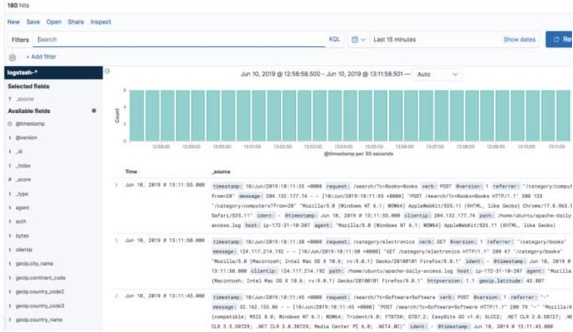
Stop opening 100 log files. Install a simple ELK Stack (or even just Logtail) and everything funnels into one beautiful dashboard. Spot a broken bot in 3 seconds instead of hunting.
Step 4: Automated Restarts
Write a tiny Watchdog PowerShell script that pings your bots every 60 seconds. If no heartbeat? Auto-restart that container. Set it to run on login and you’re golden.
Centralized Monitoring: How to Watch 100 Bots at Once
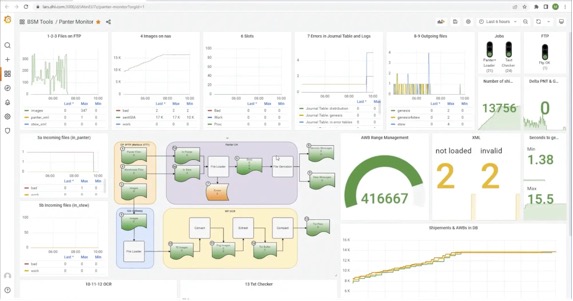
Forget switching between 100 windows. Build (or steal) a Grafana dashboard that shows live P&L, uptime, error count, and balance for every single bot.
I have one big screen with a custom web UI (FreqUI style) that refreshes every 5 seconds. Green = printing money, red = needs attention.
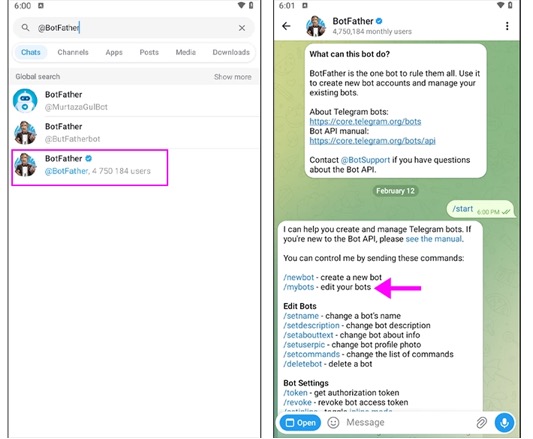
Even better? Create a private Telegram “Command Center” group. Your master bot listens for /status, /stopall, /restart_042, etc. Type once and all 140 bots obey instantly.
Security Best Practices for High-Volume RDPs
Never store API keys or .env files in plain text. Use Windows Credential Manager or encrypt everything with a simple script.
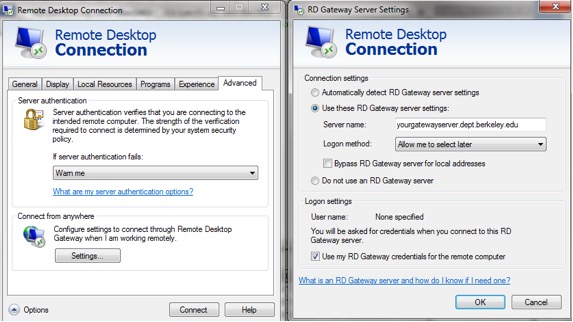
Change the default RDP port from 3389 to something random like 54231. Enable 2FA with Duo or Microsoft Authenticator. Whitelist only your home IP (or use WireGuard VPN).
One breach and you lose everything — treat your trading RDP like a bank vault.
Troubleshooting Common Scaling Issues
High Latency/Ping? Choose the RDP location closest to your exchange (Tokyo for ByBit, London for Binance, Singapore for many others). 20ms difference = thousands in extra profit.
FloodWait Errors when 100 bots alert at once? Add staggered delays (random 200-800ms) in your code. Simple but saves lives.
Memory Leaks? Schedule a weekly “RDP Purge” script that restarts all containers every Sunday 4 AM. Fresh and clean.
Conclusion: From Chaos to 24/7 Automation
You now have the complete playbook: right hardware, headless architecture, PM2 or Docker, centralized monitoring, and iron-clad security. The old GUI nightmare is dead. One single RDP can genuinely run 100+ Telegram trading bots profitably 24/7.
Start small, get 10 bots rock-solid using the Docker method above. Then scale to 50, then 100. You’ll laugh at how easy it feels once the plumbing is right.
I’ve packaged all the scripts, Docker Compose files, PM2 templates, watchdog, and Grafana JSON dashboard into a free starter kit. Comment “SEND KIT” below or drop your email and I’ll shoot it over instantly.
You’ve got the knowledge. Now go turn that single RDP into your personal money printer.
From total chaos to peaceful 24/7 automation, that’s the real flex in 2026.
Let me know in the comments: how many bots are you running right now? I’ll reply with personalized tweaks for your setup.
Let’s scale together!