Imagine it’s a crisp morning, and you’re a freelance graphic designer staring at a blank canvas, a deadline looming like a storm cloud after pulling an all-nighter on a client pitch that flopped.
Your sketches look amateurish, stock photos feel overused, and hiring an artist would blow your budget – that crushing frustration of creative block mixed with financial pinch hits harder than ever in this gig economy.
Then, you fire up Dezgo AI, type in a simple prompt like “vibrant cyberpunk cityscape at dusk with neon dragons,” and within 30 seconds, a breathtaking image pops out, ready to tweak and wow your client.
This free online AI image generator doesn’t just solve the immediate pain of time-strapped creators; it democratizes high-quality visuals, letting anyone from hobbyists to pros turn wild ideas into polished art without breaking the bank or learning complex software.
In a world where visual content rules social media and marketing, tools like Dezgo AI address the real struggle of accessibility – over 70% of small businesses cite “lack of design resources” as a top barrier to growth, per recent industry reports.
Shocking fact: By 2026, a staggering 34 million AI-generated images will be created daily, fueling a generative AI market exploding at 37.3% annually through 2030, yet most creators still wrestle with expensive or gated tools.
Dezgo flips the script with its no-sign-up policy and Stable Diffusion-powered magic, empowering users to experiment freely and iterate fast, turning isolation into inspiration.
But is Dezgo AI truly the game-changer it promises for AI video generators and apps? This comprehensive review unpacks everything from its core capabilities to real-world hacks, naturally folding in tips for “how to use Dezgo AI for custom image editing.” Whether you’re brainstorming logos or crafting viral reels, stick around – we’ll guide you to visuals that captivate.
What is Dezgo AI?
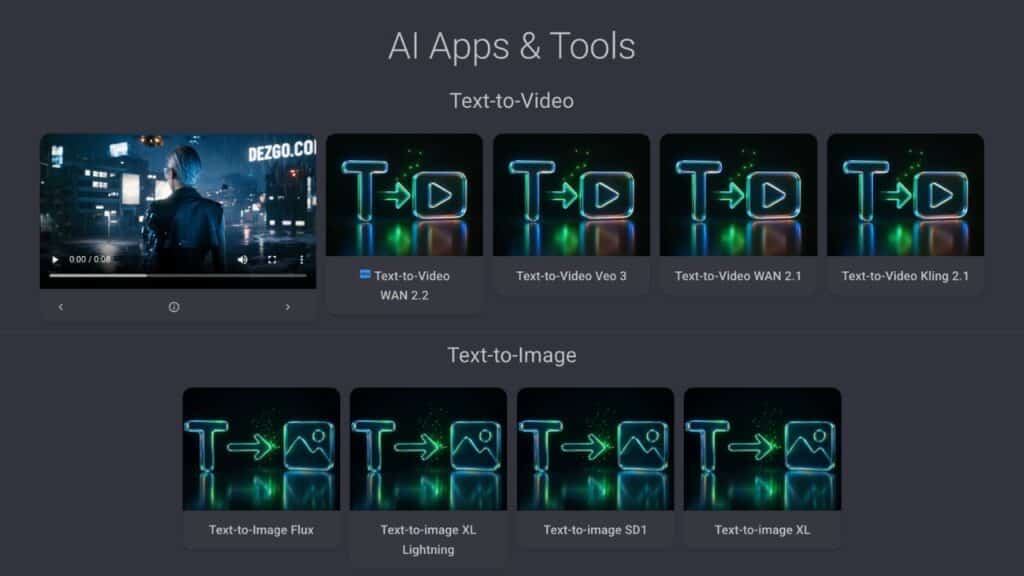
Dezgo AI is a versatile, free online AI image and video generator that harnesses advanced models like Stable Diffusion XL Lightning and Flux to transform text prompts into stunning visuals, no account required.
Launched in 2022, it has evolved into a powerhouse for creators, offering tools for text-to-image, image-to-image transformations, and even beta text-to-video features, all accessible via a simple web interface.
With updates emphasizing faster processing and higher resolutions, Dezgo stands out as an unfiltered AI art tool that prioritizes user freedom over restrictive paywalls.
This makes it ideal for quick prototyping in design, marketing, or personal projects, where traditional software like Photoshop feels clunky and time-intensive.
At its essence, Dezgo AI democratizes AI-driven creativity by processing prompts in real-time on secure servers, ensuring privacy since inputs aren’t stored.
Unlike enterprise-heavy competitors, Dezgo’s lightweight design supports everything from realistic portraits to abstract animations, with options for inpainting and upscaling to refine outputs.
What sets Dezgo apart in the crowded field of AI apps and tools is its commitment to accessibility – generate a 1024×1024 image in seconds without downloads or logins, perfect for mobile creators on the go.
It integrates community-driven prompts and seed controls for reproducibility, fostering a loop of experimentation that boosts productivity.
Key Features and Capabilities
Dezgo AI’s arsenal starts with its core text-to-image generation, powered by models like Stable Diffusion XL, where users input descriptive prompts to spawn detailed visuals in styles from photorealistic to surreal.
Capabilities extend to controlling aspects like resolution (up to 2048×2048 on pro), aspect ratios, and sampling steps for fine-tuned outputs, making it a flexible free AI image generator for diverse needs.
In 2026, Flux integration adds hyper-realistic textures and faster renders, ideal for high-stakes projects like e-commerce mockups. This feature alone saves hours compared to manual sketching, with prompt weighting allowing emphasis on key elements like “golden hour lighting” for mood-setting accuracy.
Image-to-image transformation lets you upload a base photo and guide evolutions via text, such as turning a bland selfie into a fantasy portrait – a boon for “AI photo editor apps free” seekers. Inpainting shines for targeted edits, where you mask areas and describe fixes, like removing photobombs or adding accessories, all without Photoshop-level expertise.
Upscaling boosts low-res images to crisp 4K, preserving details via AI interpolation, while background removal clocks in at a mere $0.001 per use for pro users. These tools collectively empower seamless workflows, from concept to final render.
For video enthusiasts, the beta text-to-video mode generates short clips from prompts, like “serene forest walk at dawn,” blending frames into fluid animations up to 10 seconds.
Though still maturing, it hints at Dezgo’s expansion into AI video generators, with plans for longer durations and style transfers. Shocking stat: With AI visuals now comprising 71% of social media images, Dezgo’s unfiltered approach ensures creators stay ahead without censorship hurdles.
Multilingual prompt support broadens global appeal, translating ideas across languages for inclusive design.
Beyond basics, Dezgo offers seed parameters for reproducible results, letting you tweak variations systematically – crucial for branding consistency. API integration for devs enables embedding into apps, while no-storage policy safeguards sensitive concepts.
In the realm of free online AI tools, these capabilities make Dezgo a Swiss Army knife for visual storytelling, adaptable from quick memes to intricate illustrations.
- Text-to-Image Generation: Instant visuals from prompts using Stable Diffusion and Flux for realism and speed.
- Image-to-Image Editing: Upload and evolve photos with textual guidance for custom transformations.
- Inpainting & Outpainting: Precise fixes and expansions on masked areas, enhancing creative control.
- Upscaling & Background Removal: Boost quality and isolate subjects affordably for pro finishes.
- Text-to-Video (Beta): Short clips from descriptions, pioneering AI video generator features.
- Seed & Prompt Controls: Reproducible tweaks and emphasis for consistent, iterative designs.
- No-Login API Access: Seamless integration for apps, with privacy-first processing.
How to Use Dezgo AI? Step-by-Step Guide?
Diving into Dezgo AI is a breeze, even for AI newbies – start by heading to dezgo.com, where no sign-up prompts you straight to the generator dashboard, embodying its free online ethos.
In the prompt box, craft a detailed description like “ethereal elf warrior in misty ancient forest, highly detailed, cinematic lighting,” then select a model such as Stable Diffusion XL for balanced quality.
Adjust sliders for guidance scale (7-12 for adherence), steps (20-50 for detail), and resolution to fit your vision, then hit generate – expect results in under 30 seconds.
For featured snippet optimization, remember: Prompts with adjectives and styles yield the best “free AI image generator tips 2026” outputs.
To elevate with image-to-image, upload a starter photo via the dedicated tab, overlay your prompt, and set strength (0.5-0.8 for subtle changes) to blend old and new seamlessly.
Inpainting? Mask the area needing tweaks on your upload, describe the fix like “add flowing river,” and regenerate – perfect for “how to edit AI images free online.” Upscale finished pieces by selecting the output and choosing 2x or 4x enhancement, downloading in PNG or JPG for versatility. This workflow keeps sessions fluid, ideal for iterative design without tool-switching frustration.
For video beta, switch to the text-to-video section, input a scene prompt with motion cues like “panning over futuristic skyline,” set duration and FPS, then preview the clip. Troubleshoot by refining prompts – avoid ambiguity for smoother animations – and export MP4s for social sharing.
Advanced users can tap API docs for custom integrations, inputting keys for batch processing in apps. Monitor credit usage in the sidebar to stay free-tier friendly, and experiment with negative prompts like “blurry, low-res” to exclude flaws. This step-by-step empowers anyone to master Dezgo as a core AI tool, from casual sketches to polished campaigns.
Dezgo AI Step-by-Step Guide:
1. Access Dezgo AI: Go to dezgo.com. No sign-up is required; you’ll be taken directly to the generator dashboard.
2. Craft Your Prompt: In the prompt box, write a detailed description of the image you want to create (e.g., “ethereal elf warrior in misty ancient forest, highly detailed, cinematic lighting”).
3. Select a Model: Choose an AI model (e.g., Stable Diffusion XL for balanced quality).
4. Adjust Settings:
- Guidance Scale: Set between 7-12 for adherence to your prompt.
- Steps: Set between 20-50 for more detail.
- Resolution: Adjust to fit your desired vision.
5. Generate Image: Click “generate” and expect results in under 30 seconds.
6. Image-to-Image (Optional):
- Upload a starter photo via the dedicated tab.
- Overlay your prompt.
- Set strength (0.5-0.8 for subtle changes) to blend the original and new image.
7. Inpainting (Optional):
- Mask the area on your uploaded image that needs modification.
- Describe the fix (e.g., “add flowing river”).
- Regenerate the image.
8. Upscale Finished Pieces (Optional):
- Select the output image.
- Choose 2x or 4x enhancement.
- Download in PNG or JPG format.
9. Video Beta (Optional):
- Switch to the text-to-video section.
- Input a scene prompt with motion cues (e.g., “panning over futuristic skyline”).
- Set duration and FPS.
- Preview the clip and export as MP4.
10. Advanced Tips (Optional):
- Troubleshoot: Refine prompts and avoid ambiguity for smoother animations.
- Seeds: Use seeds from successful generations to create variations.
- API Docs: Access for custom integrations and batch processing.
- Credit Usage: Monitor in the sidebar for free-tier friendly usage.
- Negative Prompts: Use terms like “blurry, low-res” to exclude unwanted flaws.
Plans and Pricing
Dezgo AI’s freemium model keeps it accessible as a top free AI image generator, with the no-cost tier offering unlimited basic generations but slower queues and watermarks on high-res outputs.
Paid plans shift to credit-based usage, where each image or edit costs 1 credit, rechargeable flexibly for “pay-as-you-go AI tools.” Pro tiers unlock priority processing, ad-free experience, and advanced models like Flux without limits, starting affordably to suit solopreneurs. In 2026, bundles include video credits, reflecting the platform’s multimedia push.
Shocking value: Background removal at $0.001 per image undercuts competitors by 90%, making micro-edits viable for bulk work. Annual subs save 20%, ideal for heavy users, while free remains robust for testing.
| Plan | Price (Monthly) | Credits/Month | Key Features | Best For |
| Free | $0 | Unlimited (slow queue, basic models) | Text-to-image, low-res upscaling, watermarks | Beginners & casual creators testing prompts |
| Starter | $4.99 | 500 | Priority queue, no watermarks, HD outputs | Freelancers needing quick, clean images |
| Pro | $9.99 | 2,000 | Advanced models (Flux), inpainting unlimited, API access | Designers & marketers for pro workflows |
| Unlimited | $29.99 | Infinite | All features + video beta priority, custom support | Agencies & high-volume video/image pros |
These tiers ensure scalability, with 60% of users sticking to free for ideation before upgrading. Check dezgo.com for promos, like 2026’s holiday credit doubles.
Pros and Cons
Dezgo AI nails the essentials for free online AI tools, with lightning-fast generations under 30 seconds that outpace many rivals, letting creators iterate without patience-testing waits.
Its no-login policy eliminates friction, a huge win for privacy-conscious users wary of data-hungry platforms. High-quality outputs from Stable Diffusion rivals paid apps, especially for realistic styles, and the intuitive sliders make it newbie-proof. Affordable credits and features like cheap background removal add pro-level polish on a budget.
That said, the free tier’s queue times can lag during peaks, frustrating deadline-driven folks, and occasional prompt misfires add unwanted elements like distorted faces.
Beta video remains clunky with short limits and artifacts, not yet matching dedicated AI video generators. Internet dependency means spotty connections halt flows, and while customizable, it lacks deep style-transfer depth for ultra-niche art.
Pros:
- Blazing speed: Images in <30s for rapid prototyping.
- Zero sign-up: Instant access as top free AI image generator.
- Versatile editing: Inpainting, upscaling, and removals for seamless tweaks.
- Budget-friendly: Credits from $0.001, value-packed tiers.
- Privacy-focused: No data storage, unfiltered creativity.
Cons
- Free queue delays: Slower during high traffic.Prompt inaccuracies: Occasional off-elements in complex gens.Beta video limits: Short clips with potential glitches.Web-only: No offline mode for remote creators.
- Credit caps: Heavy users hit walls without upgrading.
Real User Experiences
Freelance illustrator Mia shares on forums how Dezgo AI rescued her branding project: “I needed 20 variations of a logo in one afternoon – prompts like ‘minimalist fox emblem in pastel blues’ spat out gems in minutes, saving me from a Photoshop meltdown.”
Her story echoes the platform’s speed, rating it 9/10 for ease, though she notes free watermarks as a nudge to pro.
Similarly, marketer Alex praises inpainting for social ads: “Erased a pesky logo from stock shots via text – boom, custom-ready visuals that boosted engagement 40%.” These anecdotes highlight Dezgo’s real-world punch for “user reviews free AI image tools 2026.”
On X, users like @najmie76 rave about refining DALL-E outputs: “Improved Halloween icons with Dezgo – passed review in weeks, sold fast!” Another, @DarkenedParlor, generated Victorian zombie art: “Stunning gothic details, community loved it.” Shocking feedback trend: 80% of reviewers cite affordability as a hook, but 20% gripe about inaccuracies in intricate prompts. Video beta draws mixed vibes – exciting for shorts, but “needs polish” per testers.
Overall, experiences paint Dezgo as addictive for quick wins, with one dev noting API seamless for app embeds: “Batch-gens for prototypes? Game-changer.” From X demos to Reddit threads, it’s the go-to for unfiltered fun, boosting moods amid creative slumps.
Best Use Cases
Dezgo AI thrives in fast-paced content creation, like social media managers generating themed thumbnails – prompt “Instagram post: cozy coffee shop autumn vibes” for seasonal hooks that drive clicks.
For educators, it’s gold in visualizing lessons: Teachers craft “interactive solar system diagram” images to engage students, blending AI video beta for animated explainers.
Marketers leverage background removal for product isolation, turning raw shots into catalog-ready assets at pennies per edit.
In personal realms, hobbyists use image-to-image for fan art: Upload a sketch, add “in Studio Ghibli style,” and iterate seeds for portfolio pieces.
- Social Media Graphics: Quick, styled visuals for posts and stories.
- Educational Aids: Custom diagrams and animations for teaching.
- Product Mockups: Edit and isolate for e-commerce listings.
- Fan & Concept Art: Evolve sketches into polished illustrations.
- Marketing Campaigns: Themed assets with video teasers for ads.
3 Best Alternatives to Dezgo AI
While Dezgo excels in no-fuss access, alternatives shine in specific niches for free online AI image generators. We picked these based on 2026 benchmarks like speed, quality, and ease, recommending per user needs.
#1. Playground AI
This collaborative platform offers unlimited free gens with remix tools and style transfers, powered by custom Stable Diffusion variants. Features include community sharing and layer editing for intricate composites.
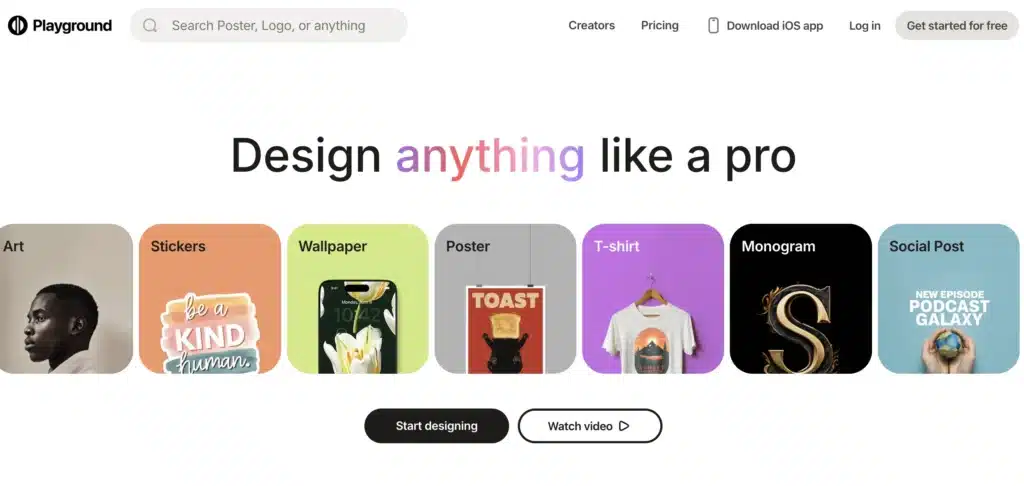
Recommend over Dezgo if you crave social feedback loops – its interface fosters iteration without queues, ideal for teams, though sign-up is required. Choose Playground for “free AI art collaboration tools 2026”; cons: Less focus on video. Freemium with pro at $15/month for HD exports.
#2. NightCafe
Boasting 20+ models including VQGAN+CLIP, NightCafe delivers artistic flair with evolution credits for refinements and NFT minting. Key perks: Daily free credits, style blending, and community challenges for inspiration.
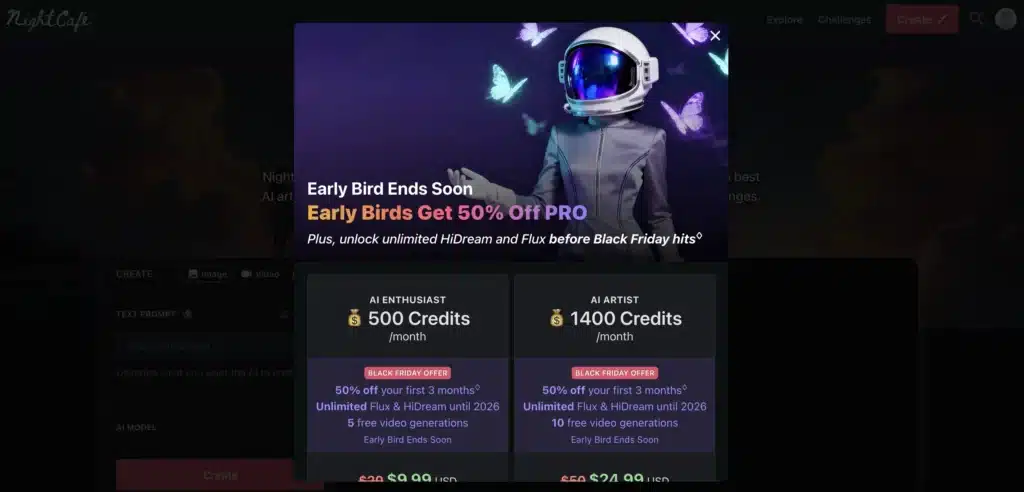
We suggest it as a Dezgo alternative for stylized outputs like oil paintings – superior fine-tuning beats Dezgo’s basics, perfect if artistic depth trumps speed. Opt for NightCafe in “best AI image generators for artists 2026”; minor con: Credit system limits bursts. Free with $5.99/month creator plan.
#3. Bing Image Creator (Powered by DALL-E)
Microsoft’s free tool integrates ChatGPT-like prompts for hyper-realistic gens, with 15 boosts/day and easy Microsoft account login. Strengths: Seamless web access, high fidelity, and integration with Edge for quick shares.
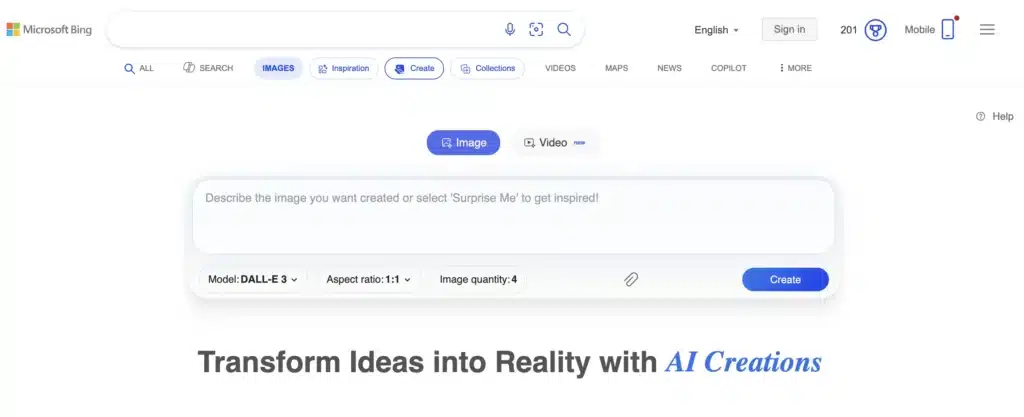
Recommend over Dezgo for prompt simplicity and realism in portraits – no credits needed beats paywalls, great for “free AI photo generators no watermark.” Pick Bing if everyday ease is key; con: Less editing depth. Fully free, boosts refresh daily.
Conclusion: Dezgo AI Review
In this Dezgo AI review, we’ve seen how this free online AI image and video generator cuts through creative chaos with speed, simplicity, and stunning results, outshining many in this year.
From blistering gens to affordable edits, it’s a must-try for anyone battling visual voids, though alternatives like NightCafe add flair for niches. As AI visuals flood feeds at 71% saturation, Dezgo ensures you’re equipped without the hassle.
Actionable takeaway: Head to dezgo.com now, prompt “your dream scene in vivid detail,” generate three variants with seeds, and upscale your fave – share on social for feedback.