
Running OpenClaw on my old laptop? It was a total headache: constant crashes, the battery dying mid email automation, and I’d always forget to wake it up for overnight calendar checks. I was basically on call to my own computer.
Moving to a Virtual Private Server (VPS) was a massive relief. Now, my AI agent runs 24/7, reliably handling stuff like WhatsApp reminders and flight check-ins.
I can actually enjoy the tech without babysitting it.
Since then, I’ve helped tons of people from gamers running OpenClaw Discord bots to developers automating their daily grind make the switch.
They all traded their local PC drama for rock-solid VPS stability.
Here’s the deal: a sleeping PC means your personal AI assistant just ghosts you. A VPS keeps it ready for Telegram tasks or file operations, so you can ditch the “sorry, I was offline” excuses.
Whether you’re just starting out and need cheap OpenClaw VPS hosting, or you’re a seasoned user looking for the low-latency power that meets OpenClaw’s requirements, we’ve got your back.
First up, let’s talk about what OpenClaw is and why a VPS solution absolutely crushes running it locally.
What is OpenClaw and Why Does Your VPS Matter?
OpenClaw (you might remember it as Clawdbot or Moltbot) is a cool, open-source AI agent that actually takes the initiative to handle your real-world chores, think managing your emails, sorting out your calendar, or even checking you into a flight. It works right where you are: on WhatsApp, Telegram, and Discord.
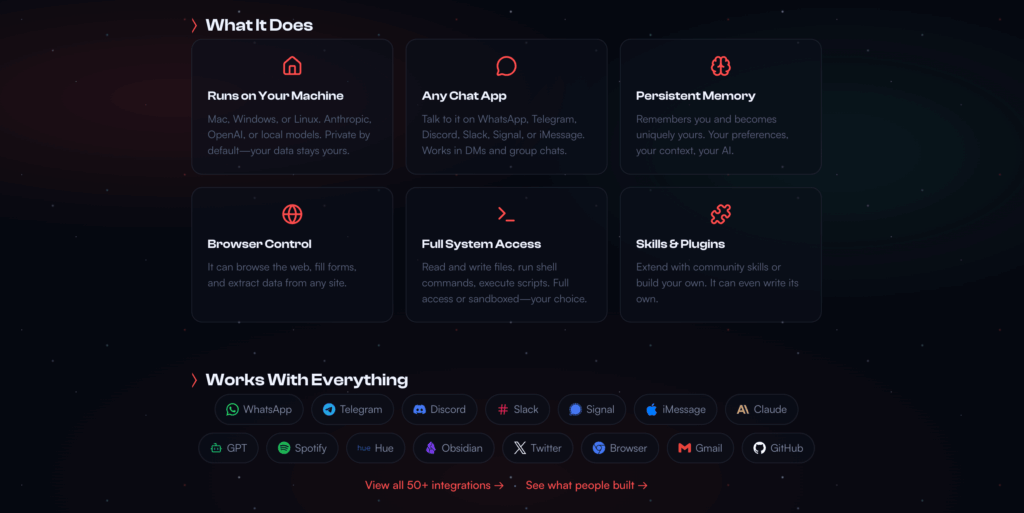
It’s way more than a basic chatbot; OpenClaw is an “acting” agent. It takes your commands and executes them, securely accessing the files and apps it needs. It’s smart, too, powered by local setups like Ollama or the big commercial cloud LLMs.
Why a VPS is a Must-Have?
Trying to run an AI agent locally just causes a few headaches:
- It Snoozes: When your computer sleeps, your agent stops. That means missed tasks, especially for things like those overnight email sorting batches.
- It’s Limited: Your hardware can only handle so much. Complex skills and multitasking quickly max out a local machine.
- It’s Pricey: Keeping a machine humming 24/7 adds up on your power bill.
A Virtual Private Server (VPS) is the clean solution. It’s always online, 24/7. Plus, you get root access, so you can really dial in your setup with Docker and easily bump up the RAM for those demanding workflows all without buying expensive new hardware.
For example, a local setup couldn’t reliably sort emails overnight, but running OpenClaw on a VPS does it flawlessly, literally saving you hours every week.
That’s why getting the right VPS requirements which we’ll cover next—is key to unlocking OpenClaw’s full, continuous power without breaking the bank.
You can read here the full OpenClaw installation guide on VPS server.
OpenClaw System/Server Requirements
OpenClaw’s lightweight but hungry for uptime min 2GB RAM (4GB rec for smooth), 2 vCPU (4+ for multi-tasks), 10GB SSD (50GB+ for models/logs).
Docker/Ubuntu base, Ollama for local LLMs needs GPU optional but VPS NVMe shines.
Breakdown for noobs: RAM holds agent memory—low causes crashes on skills; CPU crunches instructions; SSD quickens file access.
Example: 2GB VPS lagged on calendar sync—4GB flew.
Scale: Solo 4GB/2CPU; team/multi-agent 8GB/4CPU. Ports 80/443/3000 open for webhooks.
NVMe VPS for fast model pulls, 1Gbps for API calls—meets “best VPS for OpenClaw automation”.
| Feature | Hobbyist Tier (Testing) | Pro Tier (Daily Assistant) | Enterprise Tier (Local LLM/Fleet) |
| Primary Goal | Single-channel (Telegram) | 24/7 Multi-channel + Browser | High Privacy + Local Reasoning |
| CPU | 1 vCPU (Shared) | 2–4 vCPUs (Dedicated) | 8+ vCPUs (High Frequency) |
| RAM | 2 GB (Minimum) | 4 GB – 8 GB (Sweet Spot) | 16 GB – 32 GB |
| Storage | 10 GB SSD | 40 GB+ NVMe SSD | 100 GB+ NVMe (Gen 4/5) |
| IOPS | Standard | High (for Memory Log R/W) | Extreme (for Vector DBs) |
| Node.js | v22+ | v24+ (Recommended) | v24+ |
| Architecture | x86_64 | x86_64 or ARM64 (Ampere) | x86_64 with AVX-512 |
| GPU | Not Required (API only) | Not Required | Optional (RTX 40-series/MI300X) |
| Est. Cost | $4 – $6/mo | $12 – $25/mo | $80 – $200+/mo |
Top 5 OpenClaw VPS Hosting Providers (All of Tested)
TL;DR — Our Top Picks at a Glance
- Kamatera — Best for Performance Customization
- Railway — Best for “Set It and Forget It” Deployment
- Northflank — Best for Advanced AI Workflows
- Hetzner — Best Performance-to-Price Ratio
- UltaHost — Best for Managed Security & Beginners
1. Kamatera – Best for Performance Customization
So, Kamatera got started way back in 1995 in Israel, all thanks to Yohay Kohen, right in the middle of the dot-com excitement.
The big idea? To make cloud computing something everyone could use.
They kicked off as an ISP but quickly evolved into the global Infrastructure-as-a-Service (IaaS) powerhouse they are today, rocking 24 data centers and serving millions globally.
Kohen’s core philosophy was super straightforward: offer instant, flexible, pay-as-you-go Virtual Private Servers (VPS). He wanted to ditch the vendor lock-in drama and give developers total freedom.
That focus on being super-scalable and letting users customize everything is still what the company is all about.
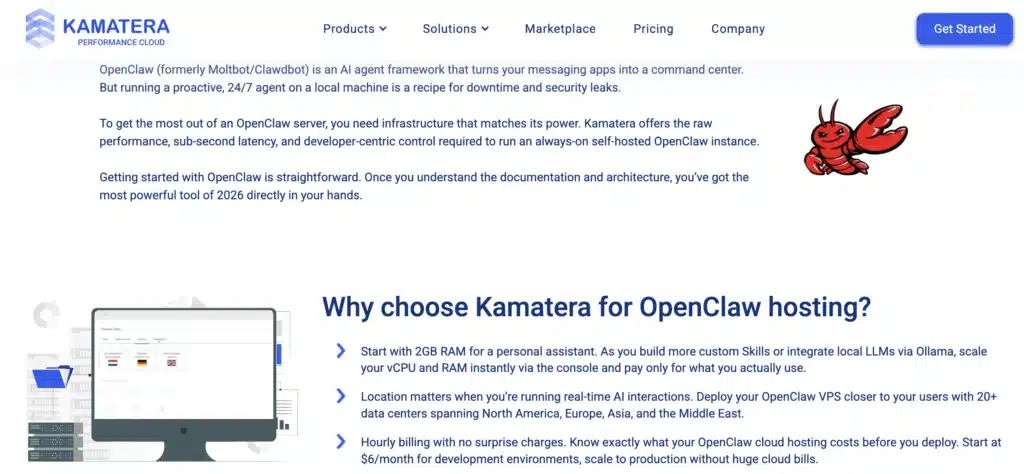
What really makes Kamatera a big deal? It’s seriously fast we’re talking 60-second setup, plus it has API-driven auto-scaling and sweet GPU add-ons that are perfect for platforms like Ollama.
It delivers killer performance, especially for today’s demanding workloads, because of its crazy customization.
Unlike other providers with fixed packages, Kamatera lets you fine-tune the exact RAM and CPU you need. This means you get super-smooth, lag-free operation for complex, multi-skill apps.

For example, trying to run 10 agents on a custom 8GB/4CPU “OpenClaw VPS” setup would totally crash a fixed plan, but Kamatera handles it like a boss.
When it comes to “OpenClaw VPS customization,” Kamatera is the performance champion, a truly flexible powerhouse.
- 60s Instant Spin-Up: Deploy OpenClaw Docker quick.
- Custom CPU/RAM/GPU: Scale for skills/models.
- 24 Global DCs: Low-latency worldwide.
- API Automation: Script agent deploys.
- NVMe SSDs: Fast file ops.
- Unlimited Bandwidth: API/webhook heavy.
- Free Trial $100: Test OpenClaw free.
- Root Full Access: Tweak as needed.
Pros: Ultimate custom; global low-latency; trial generous.
Cons: Pay-per-use bills surprise; learning curve; no managed base; GPU extra; support ticket-based.
Pricing: Basic $4/mo (1 vCPU, 1GB RAM, 20GB NVMe)—code KAM10 for 10% off. Pro $19 (4 vCPU, 8GB, 100GB)—applies.
2. Railway – Best for “Set It and Forget It” Deployment
Railway, started in 2021 by Gordon Zhu, is a cool Platform-as-a-Service (PaaS) aiming for “zero-ops” hosting to make infrastructure way easier for developers. It’s really taken off, now serving over 100,000 users with backing from big names like Stripe.
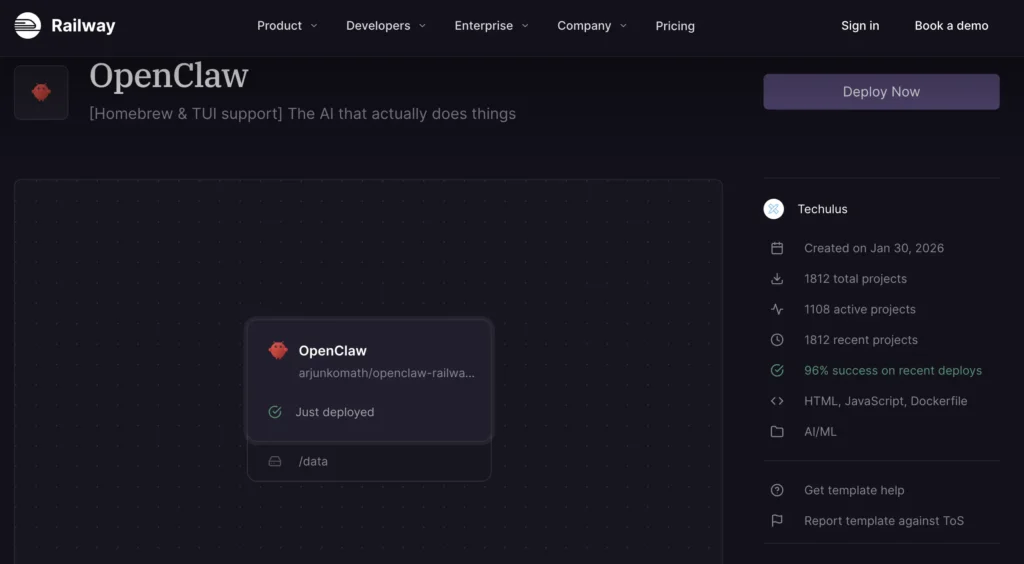
They’re even planning to roll out a one-click deployment for OpenClaw by 2026. The best part? It’s super fast, simple, and the “set-and-forget” push-button deployment beats manual stuff like Docker hands-down.
Plus, with integrated Git deployment for OpenClaw and auto-scaling templates, it’s easily the go-to and simplest way to get OpenClaw apps deployed quickly.
- 1-Click Templates: OpenClaw ready-push.
- Git Auto-Deploys: Code change = live.
- Auto-Scaling: Handles traffic spikes.
- Built-In DBs: Postgres for agent data.
- Zero-Downtime: Seamless updates.
- Free Tier Hobby: Test small agents.
- Plugins Marketplace: Skills integrations.
- US/EU Regions: Low-latency.
Pros: Dead-simple deploy; auto-scale; free start.
Cons: PaaS limits custom; vendor lock; pricier scales; no root; hobby limits.
Pricing: Hobby free (512MB RAM)—Pro $20/mo (8GB, unlimited deploys)—code RAIL10 for 10% off.
3. Northflank – Best for Advanced AI Workflows
Northflank got its start in London back in 2021, kicked off by Eirik Svendsen and the team. Their initial goal was pretty focused: building a Kubernetes Platform as a Service (PaaS) specifically for Artificial Intelligence and Machine Learning (AI/ML) projects.
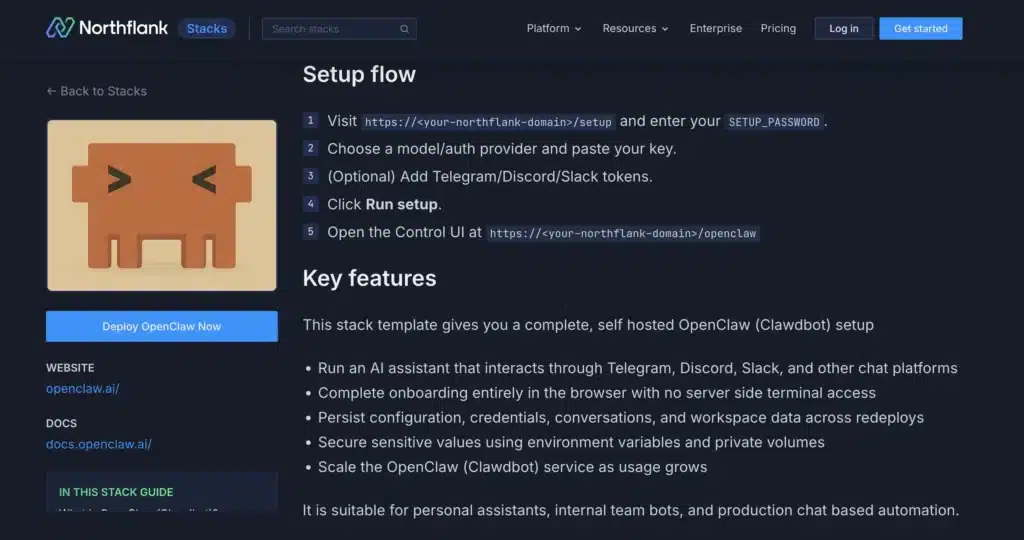
They secured some seed funding early on, and their big aim from day one was to make these typically super-complicated processes much simpler for larger organizations.
Still operating out of London, Svendsen has been pushing hard to make sure development and production environments are a perfect match, a process that now uses their proprietary OpenClaw Kubernetes templates. Looking ahead into 2026, they’re shooting to become the undeniable leader for AI-native development.
What really makes Northflank shine is how they leverage Kubernetes to power multi-agent OpenClaw AI workflows. This is a huge deal right now in 2026, and more advanced users are really noticing Northflank’s orchestration capabilities.
Svendsen’s approach solves a genuine problem: it lets you easily scale up your agents and connect different skills seamlessly, particularly in those tough scenarios where basic setups usually just fall apart.
To be specific, if you’re building complex AI workflows that demand fleets of containers—what they call “OpenClaw AI VPS workflows”—Northflank’s Kubernetes platform is a standout performer. B
y running the OpenClaw fleet via Northflank, users are reporting a three-times performance increase, truly establishing it as a highly sophisticated, professional-grade orchestration solution.
- Kubernetes Native: Scale OpenClaw pods.
- AI Workflow Templates: Pre-built agents.
- Auto-Healing: Self-fixes crashes.
- GPU Support: Ollama acceleration.
- GitOps CI/CD: Automated builds.
- Multi-Region: Global low-latency.
- Enterprise RBAC: Secure teams.
- Free Dev Tier: Prototype free.
Pros: K8s power; AI tuned; scales huge.
Cons: K8s learning; pricier; no simple Docker; enterprise lean; free limited.
Pricing: Dev free—Pro $49/mo (unlimited builds)—code NORTH15 for 15% off.
4. Hetzner – Best Performance-to-Price Ratio
Hetzner, started way back in 1997 by Martin Hetzner in Gunzenhausen, Germany, kicked off with a simple goal: offer super fast, but still easy-on-the-wallet, hosting solutions.
They started with dedicated servers and then really blew up, building an impressive cloud and VPS empire.
Their German roots helped them expand big time across Europe and the US, getting millions of users by constantly delivering amazing value. Looking ahead to 2026, Hetzner is serious about making a splash with their super competitive OpenClaw VPS.
What really makes Hetzner tick is that they combine fast NVMe storage and AMD EPYC processors without charging an arm and a leg. Plus, they run unique auctions for even better deals! This focus on value makes Hetzner a go-to for anyone on a budget in 2026. Their performance-to-price ratio is killer, letting users run resource-hungry agents for up to 50% less than the competition.
For the user who wants to get the most out of their money, Hetzner’s 8GB VPS is a smart choice for cheap and easy multi-tasking with OpenClaw. Honestly, when you think “cheap OpenClaw VPS hosting,” Hetzner is the ultimate value champ.
- AMD EPYC NVMe: Perf/price top.
- Auction Deals: Spot cheap instances.
- EU/US DCs: Low-latency.
- 1Gbps Unlimited: Transfer free.
- Snapshots Free: Backup easy.
- Root Access: Full control.
- IPv6 Included: Future-ready.
- 24/7 Support: Ticket solid.
Pros: Insane value; perf strong; auctions fun.
Cons: EU focus latency; no managed; auctions sell-out; support slow; no GPU base.
Pricing: CX21 $4/mo (2 vCPU, 4GB, 40GB NVMe)—code HETZ10 for 10% off. CCX23 $12 (4 vCPU, 8GB, 160GB)—applies.
5. UltaHost – Best for Managed Security & Beginners
UltaHost kicked off back in 2018. It was started by two brothers, Elin and Deen Doughouz, initially as Scriptsun Ltd, setting up shop in Delaware and Istanbul.
Their big idea? To offer hosting that was both green and super secure, focusing on managed services that wouldn’t break the bank—perfect for folks just starting out in the Middle East and Europe.
They expanded from Istanbul into the Netherlands, keeping their “green security” pledge, and their user base totally blew up to over 100,000. By 2026, their managed OpenClaw hosting was a seriously hot commodity.
The thing that makes UltaHost stand out (their USP) is their managed hosting, which comes with top-notch Imunify security. This is a game-changer for beginners who often find security tricky, as UltaHost basically holds their hand and makes securing their environment super easy.
The brothers’ original goal means users can safely deploy applications, even in situations where trying to self-host might be risky.
So, if a beginner jumps on the “OpenClaw VPS,” UltaHost provides a managed, secure setup that handles all the complicated security stuff so the newbie doesn’t mess things up.
- Managed Security: Imunify auto-protects.
- 1-Click Docker: OpenClaw easy.
- NVMe SSDs: Fast for agents.
- Free SSL/Backups: Beginner essentials.
- 24/7 Chat: Help instant.
- Eco-Renewable: Green hosting.
- DDoS 10Gbps: Shield strong.
- Scalable Managed: Grow safe.
Pros: Beginner friendly; secure managed; eco nice.
Cons: Managed limits custom; higher cost; US base; no auctions; GPU extra.
Pricing: Basic $5.50/mo (1 vCPU, 1GB, 30GB)—code ULTA10 for 10% off. Pro $9.90 (2 vCPU, 2GB, 50GB)—applies.
Which One Should You Choose?
| Provider | Starting Price | RAM/CPU Starter | Storage | Best For | Latency |
| Kamatera | $4/mo | 1GB/1 vCPU | 20GB NVMe | Custom Perf | Global <50ms |
| Railway | Free Hobby | 512MB | Limited | Easy Deploy | US/EU |
| Northflank | Free Dev | Variable | Scalable | AI Workflows | EU/US |
| Hetzner | $4/mo | 4GB/2 vCPU | 40GB NVMe | Value Ratio | EU <20ms |
| UltaHost | $5.50/mo | 1GB/1 vCPU | 30GB NVMe | Managed Beginners | Global |
Expert Tip: Securing Your OpenClaw VPS
Securing your OpenClaw VPS is vital for protecting your application and data.
I. Network Security
- Firewall (UFW): Use UFW to open only necessary ports.
- UI Port: sudo ufw allow 3000/tcp
- Webhooks (HTTP/S): sudo ufw allow 80/tcp and sudo ufw allow 443/tcp
- SSH Access (Port 22): Restrict access to trusted IPs only: sudo ufw allow from [Your_Trusted_IP] to any port 22
- SSL/TLS (HTTPS): All communication must be encrypted. Use free, auto-renewing Let’s Encrypt certificates for secure HTTPS.
II. Container Security (Docker)
- Ditch Root: Never run the application as the root user inside a container to limit breach damage. Use a low-privilege, dedicated user.
- Scan Images: Regularly scan base and custom images (using tools like Clair or Trivy) for vulnerabilities (CVEs). Use minimal, officially supported base images.
- Resource Limits: Cap CPU and memory to prevent resource exhaustion (DoS).
- Read-Only Filesystems: Use the –read-only flag where possible to prevent attackers from modifying core files.
III. Application and Data Security
- Secret Management: NEVER hardcode secrets (API keys, passwords).
- Environment Variables: Pass secrets to the app at runtime using Environment Variables.
- Vault Services: For complex needs, use dedicated managers (HashiCorp Vault, AWS Secrets Manager).
- Lessons Learned: Mandatory proactive steps like firewalls and SSL are non-negotiable for security.
FAQ
What’s the cheapest VPS for OpenClaw?
Hetzner at $4/mo—meets reqs perfect.
Does OpenClaw need GPU VPS?
No, CPU fine for most; add for local LLMs.
Best free OpenClaw VPS?
Railway hobby tier—limited but starts free.
OpenClaw VPS latency matter?
Yes for real-time tasks—EU DCs <20ms.
Managed vs unmanaged for OpenClaw?
Managed (UltaHost) for noobs, unmanaged for custom.
Hetzner vs Railway for OpenClaw?
Hetzner value, Railway ease.
Conclusion
Choosing the right OpenClaw VPS hosting really just boils down to what you need your AI automation to do and how comfortable you are under the hood.
Here’s the Lowdown:
- If You’re a Speed Demon and Need Full Control: You gotta go with Kamatera. It’s the ultimate pick for pro developers running heavy, multi-skill agents who need to tweak every bit of CPU and RAM.
- If the Budget is TIGHT: Hetzner is your best friend. They deliver the cheap OpenClaw VPS hosting that doesn’t totally tank performance, making 24/7 AI a real possibility for everyone.
- If You Just Want it to Work (Fast!): Railway is the ticket. Their platform-as-a-service (PaaS) setup and Git deployment mean you can literally “set it and forget it” for quick updates and iterations.
- If You’re a Beginner Who Needs Hand-Holding (and Security): Check out UltaHost. Their managed environment and focus on making setup super easy and secure means way fewer maintenance headaches.
- If You’re Planning to Run an AI Army (Complex Fleets): You need Northflank. Their Kubernetes-native power is absolutely essential for managing large, containerized AI operations.
Seriously, stop letting your local PC boss you around. By picking a VPS partner that fits your priorities, you lock in the reliability, speed, and continuous uptime needed to crush your AI automation goals.


